 LeafBound
Book formatting software for Windows
Beautiful books, ready for print and every store.
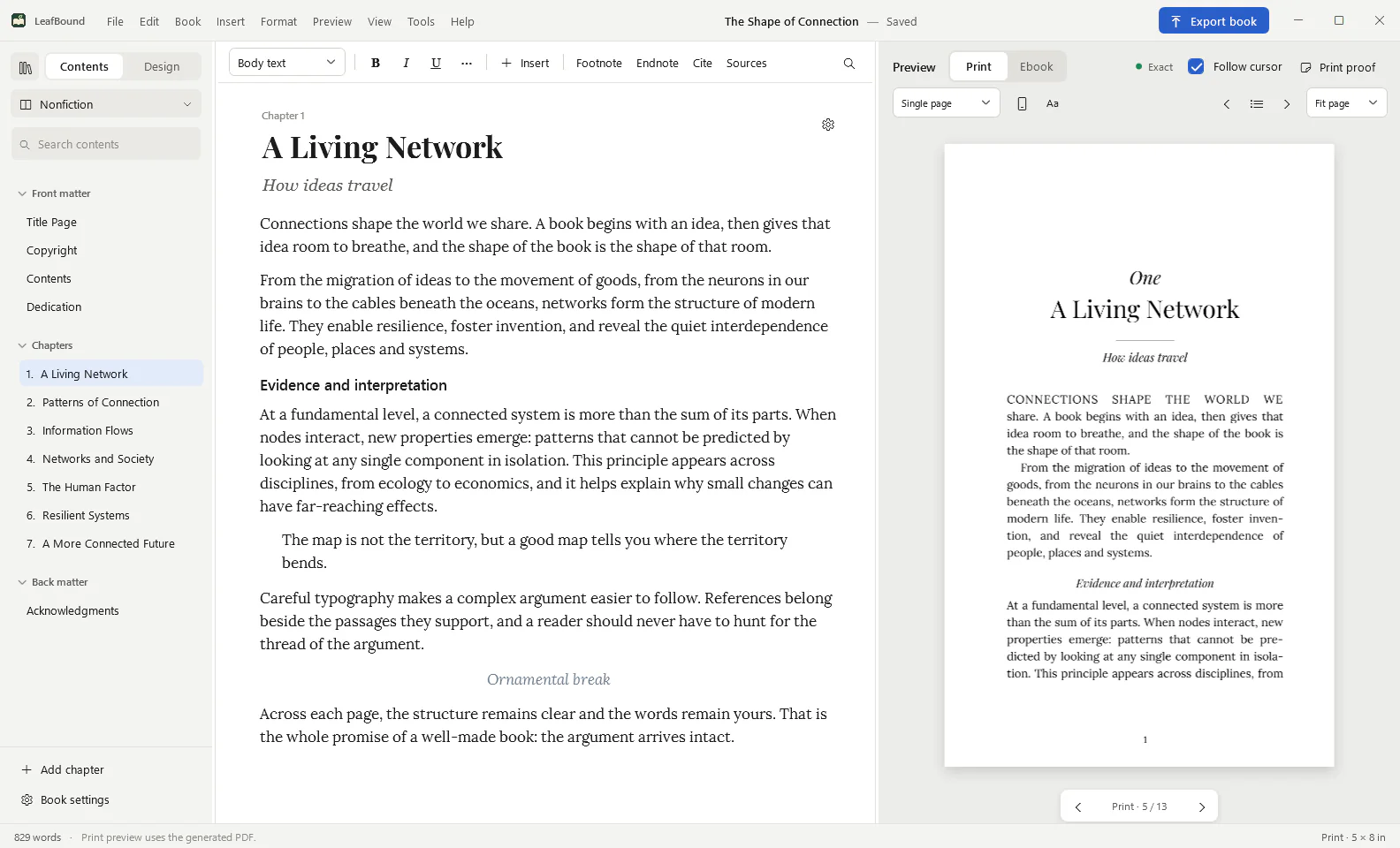
LeafBound turns your manuscript into a print-ready PDF and store-ready ebooks on your own PC. Choose from 28 designed themes, watch the real pages update as you work, and check the finished file against KDP and IngramSpark rules before you upload.
LeafBound opens to the public soon, with a free 14-day trial of every feature. Windows 10 and 11, 64-bit.
- $49.99, once. No subscription. Free minor updates.
- Native Windows app. Works offline after one activation.
- Print preflight. 24 checks, with one-click fixes.
- Accessible ebooks. Kindle, Apple Books, Kobo, Nook, Google Play.
- 28book themes, each with its own type, openings and ornaments
- 55bundled font families, plus your own licensed fonts
- 24print checks against KDP and IngramSpark rules
- 6ebook editions, from one source file
- $49.99one-time price for the Book edition
How it works
From manuscript to finished files in an afternoon.
Bring in your book
Import a Word (.docx) manuscript or start a new book. Pick the book type, from fiction and poetry to academic, study and illustrated editions, and LeafBound sets up the right tools.
Choose a design
Try themes on your own pages. Adjust chapter openings, body text, breaks, subheadings and running heads, then compare two or three designs side by side, page counts included.
Export with confidence
Run print preflight, fix what it finds with one click, and export the print PDF and ebooks for each store in one step.
Themes and design
28 themes that look like 28 different books.
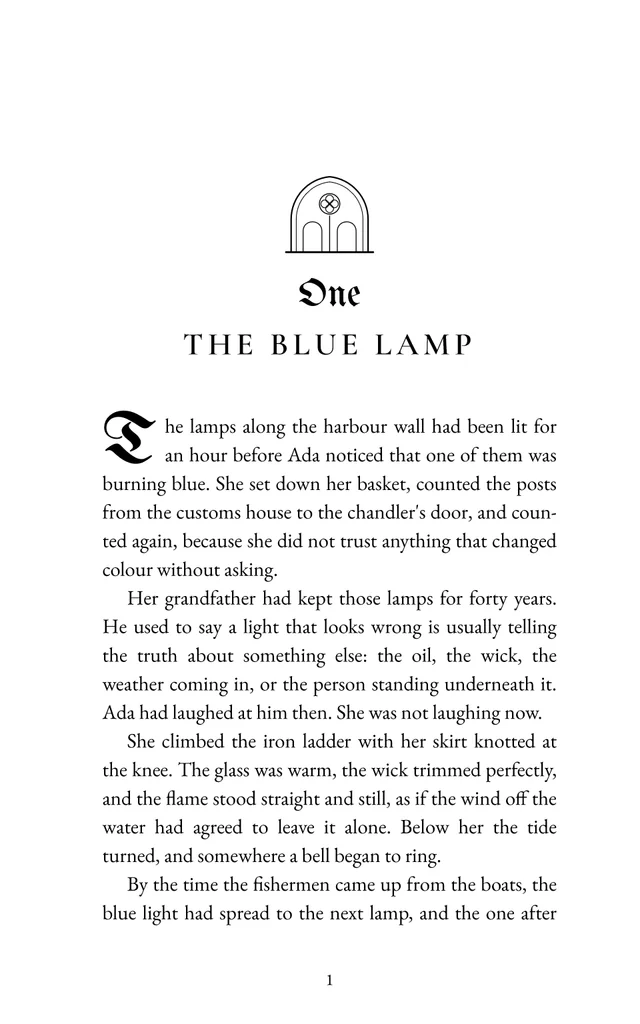
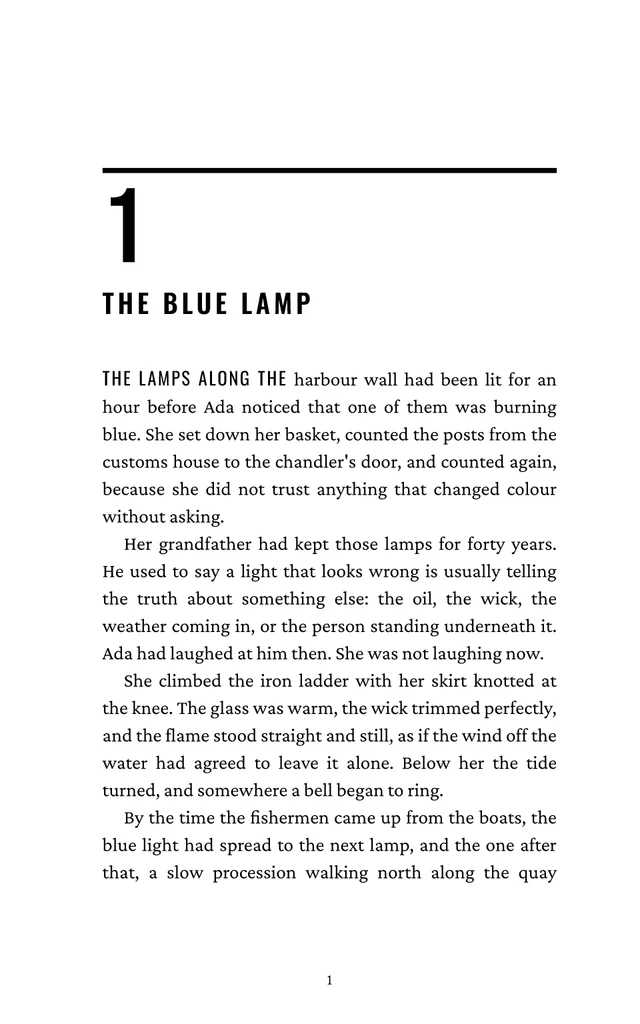
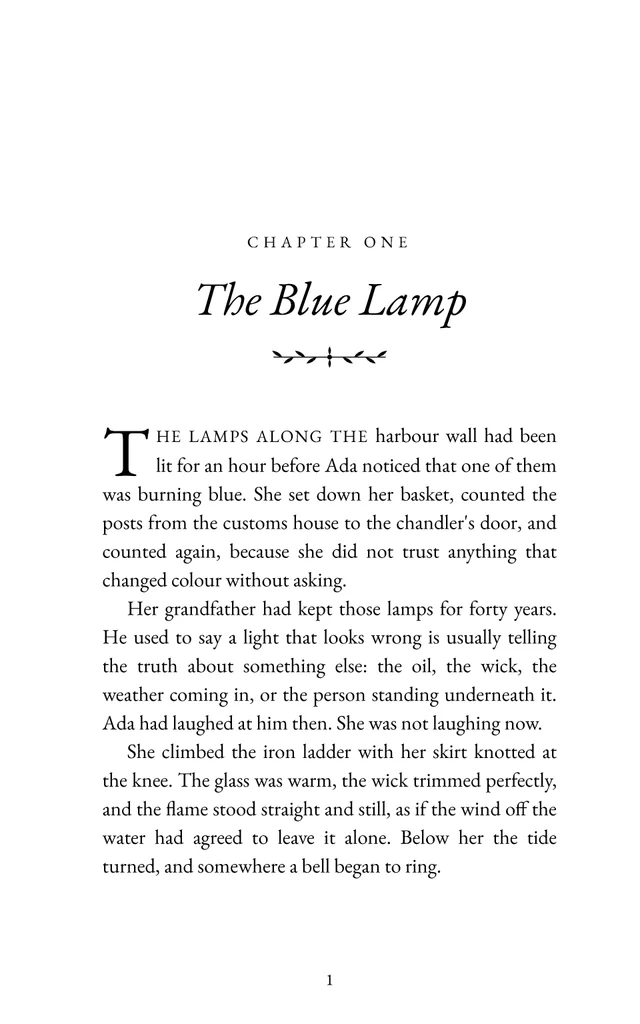
Each theme pairs its own typefaces with a chapter opening, first-paragraph treatment, scene-break ornament and running heads made for its genre. These are real opening pages set by LeafBound’s print engine, not mock-ups.
- VesperGothic & dark romance
- SteelThriller & crime
- HearthstoneLiterary & classic fiction
- HalcyonContemporary romance
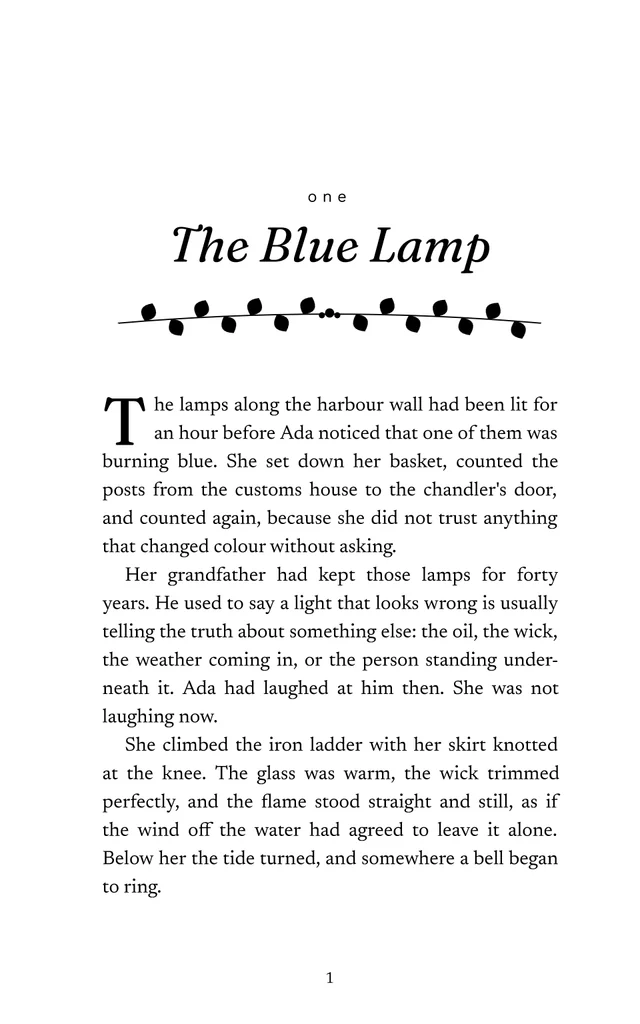
- OrbitScience fiction
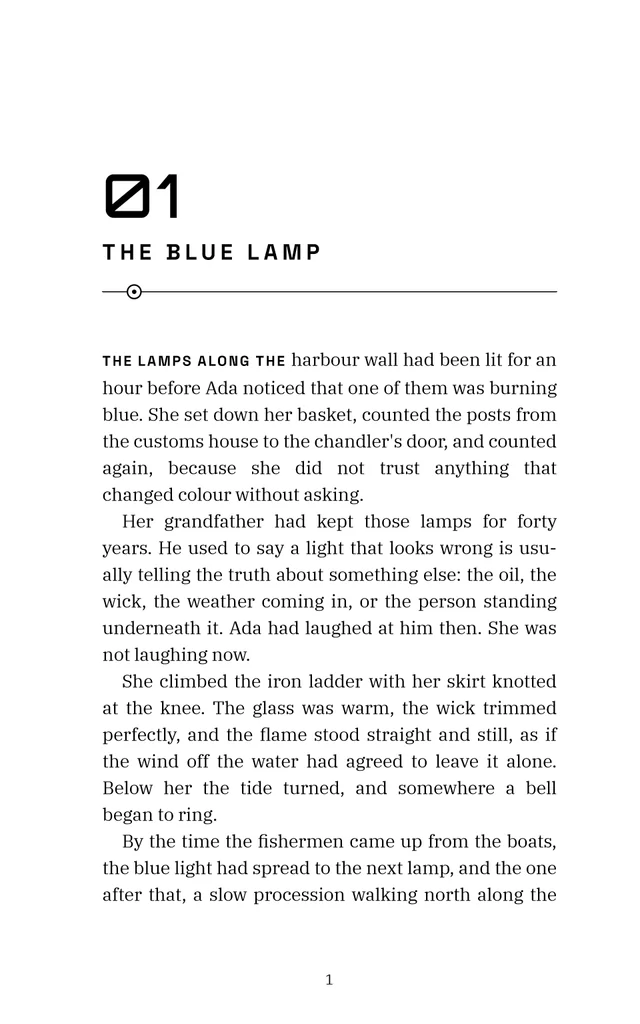
- KeepsakeMemoir & personal essay
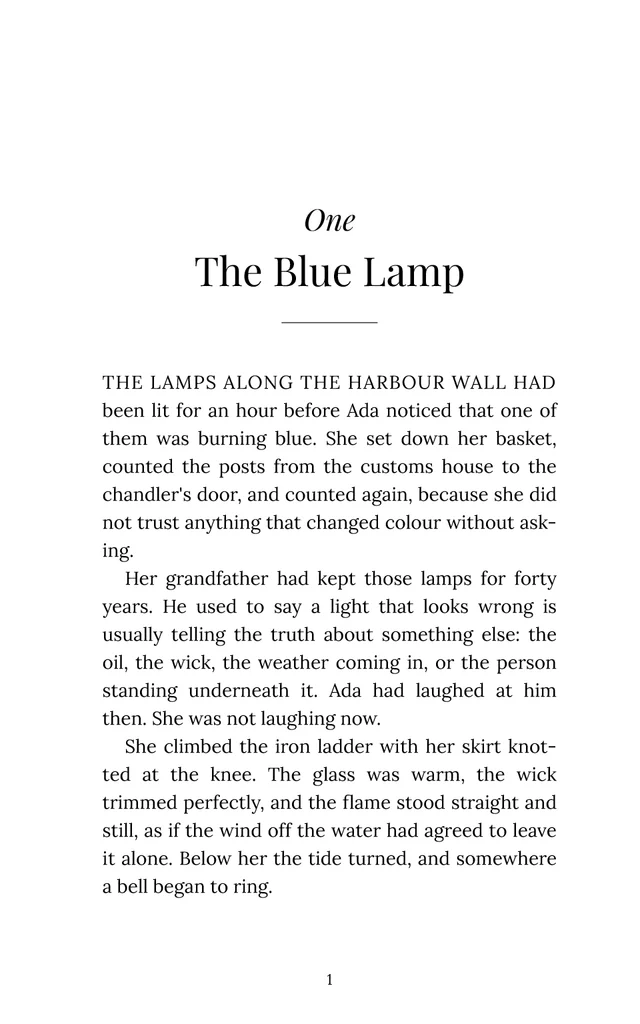
- GaslightHistorical fiction
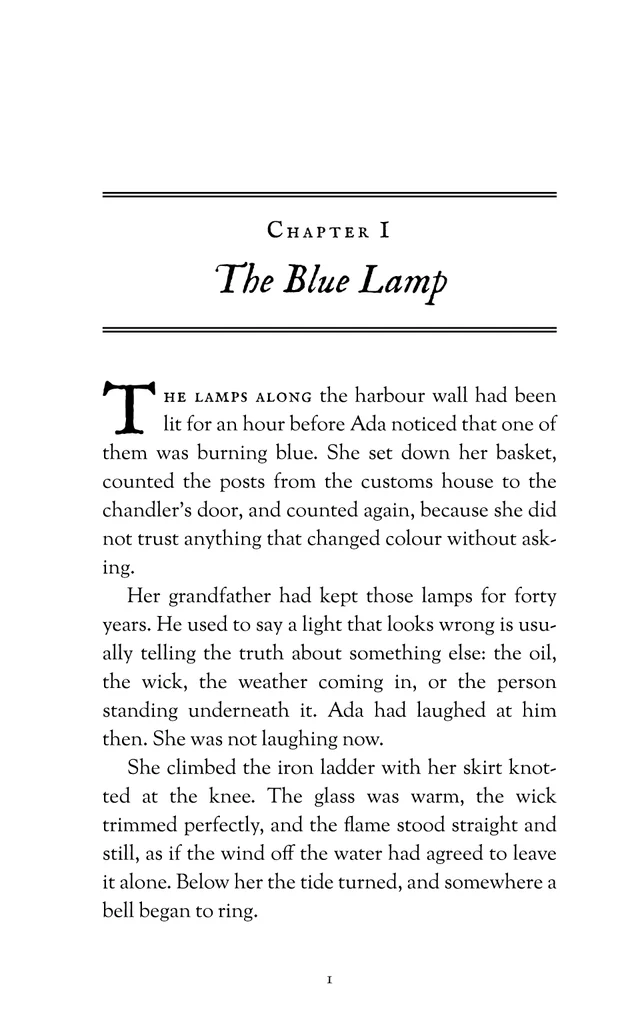
- MeadowlarkChildren’s & middle grade
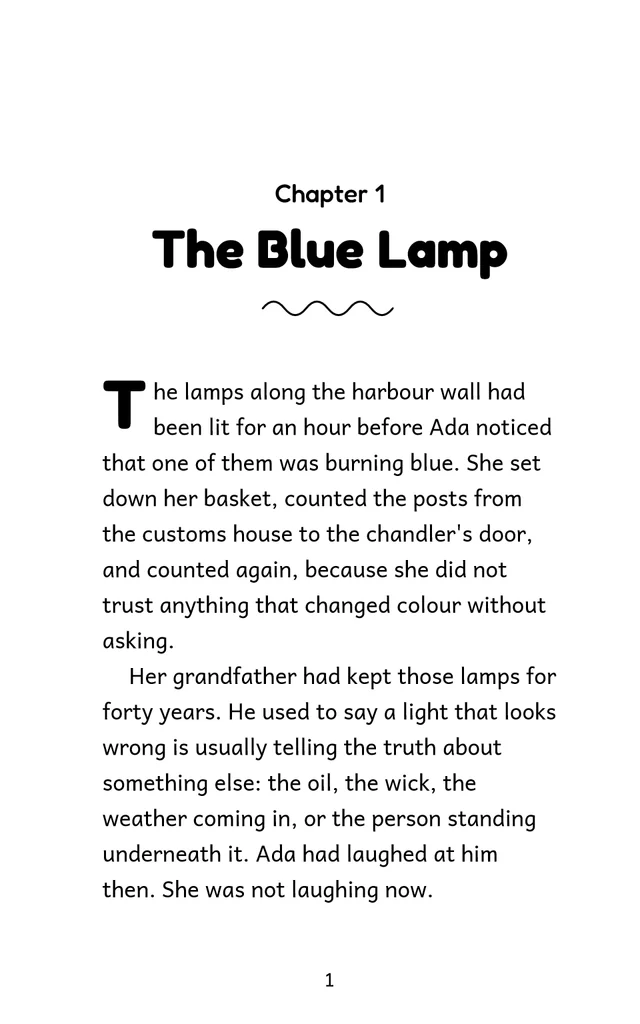
- TreatiseAcademic & reference
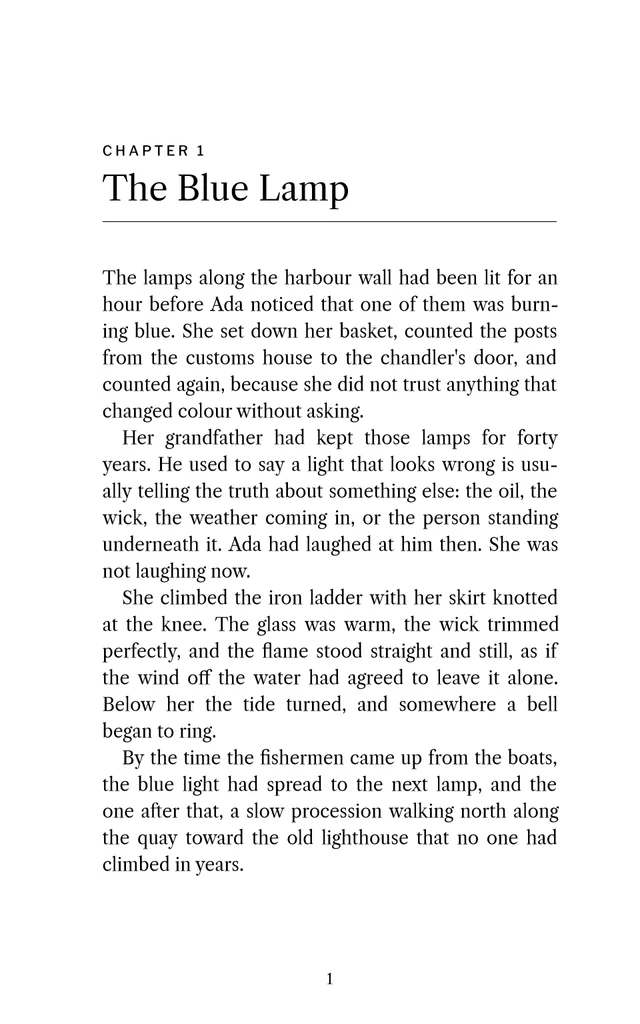
- CompassTravel & adventure
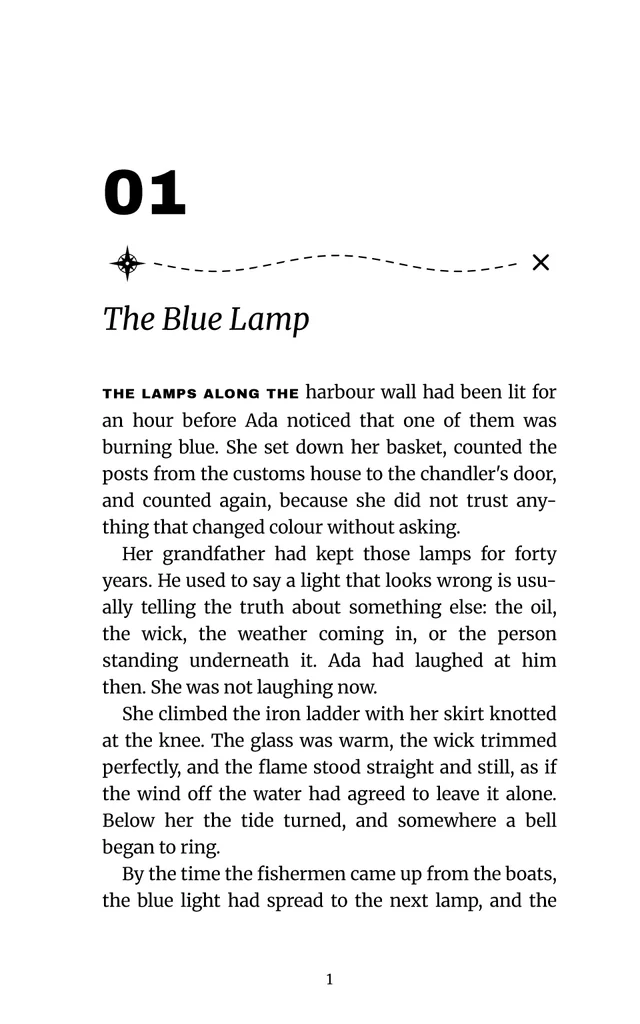
- PsalterChristian & devotional
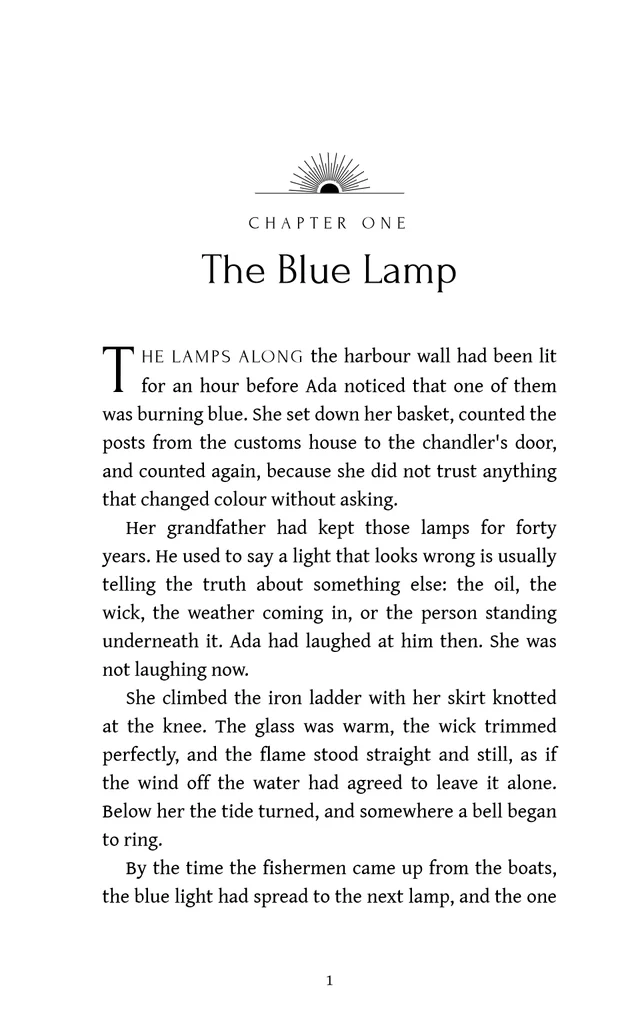
- Clear PrintLarge print & accessible
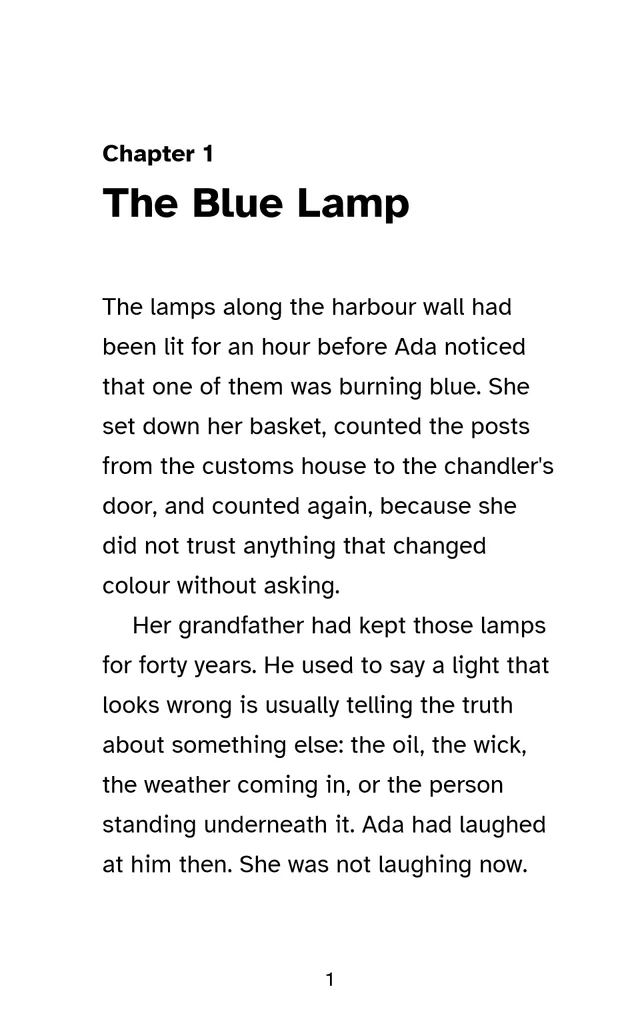
Every theme also comes in Standard, Large print and Accessible editions. See every design control.
Live preview
The preview is the printed page.
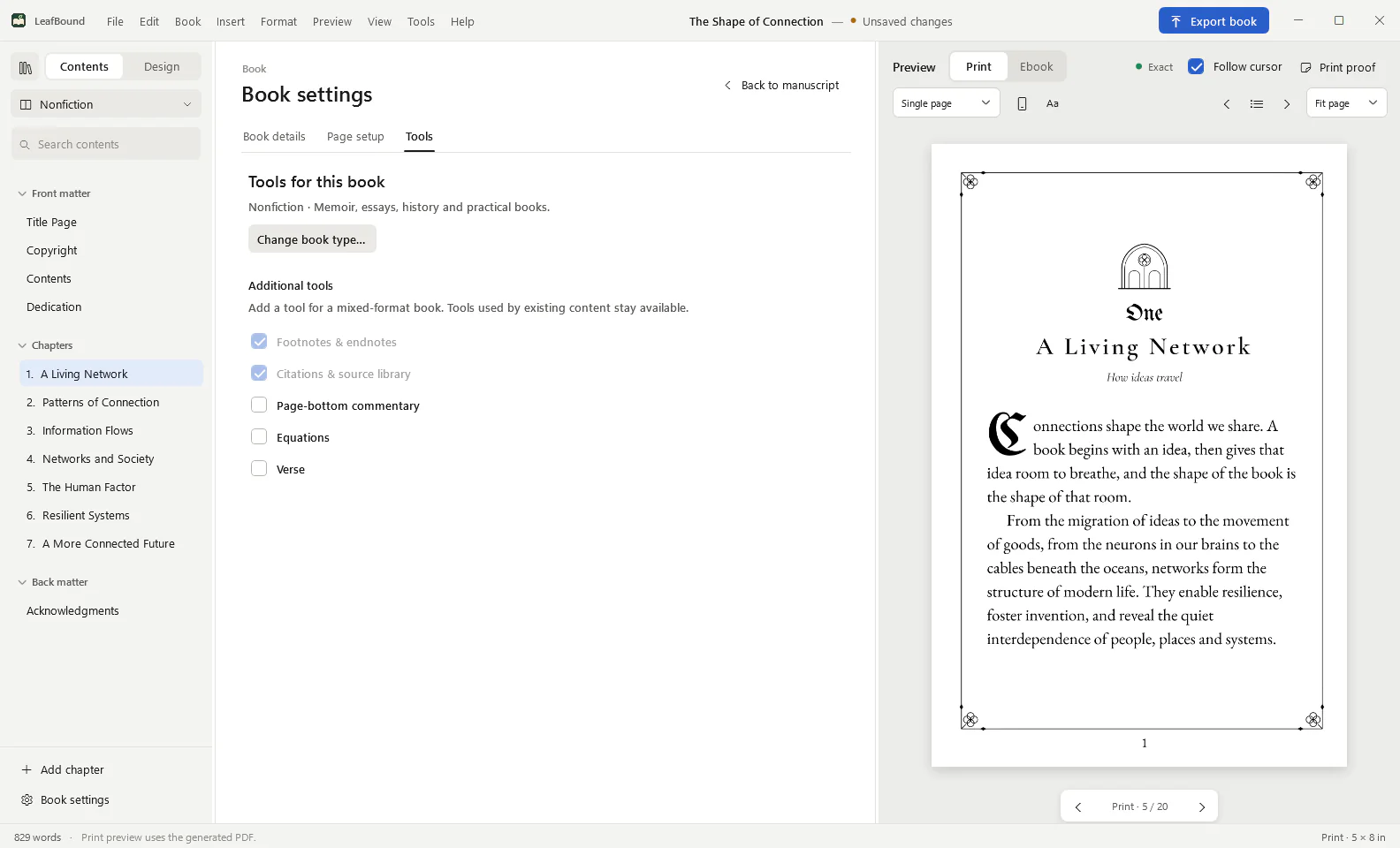
LeafBound composes the actual print PDF as you write and shows it beside your text. What you see is what the printer receives: the same line breaks, page breaks and page numbers.
- Follow cursor keeps the page you are editing in view.
- Print and ebook previews sit side by side, with the ebook shown as a reader would see it.
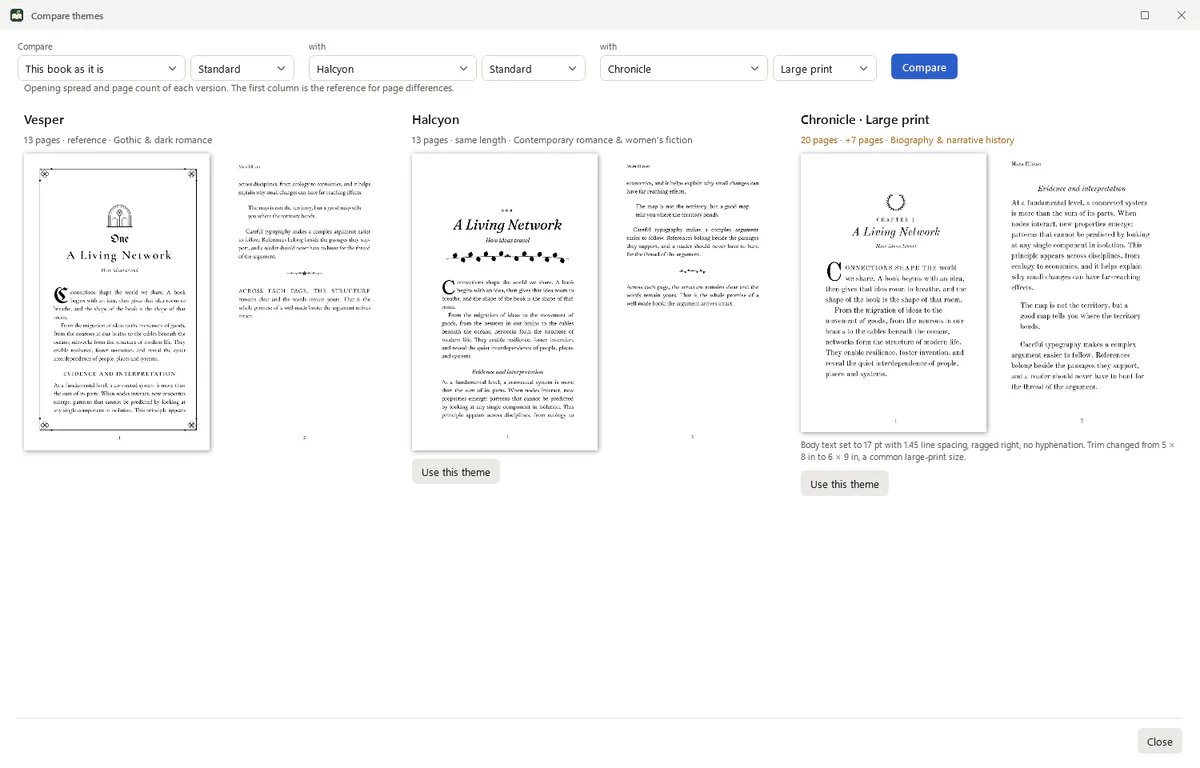
- Compare themes sets your opening spread in up to three designs and tells you how the page count changes.
Print preflight and PDF/X
Know it passes before you upload.
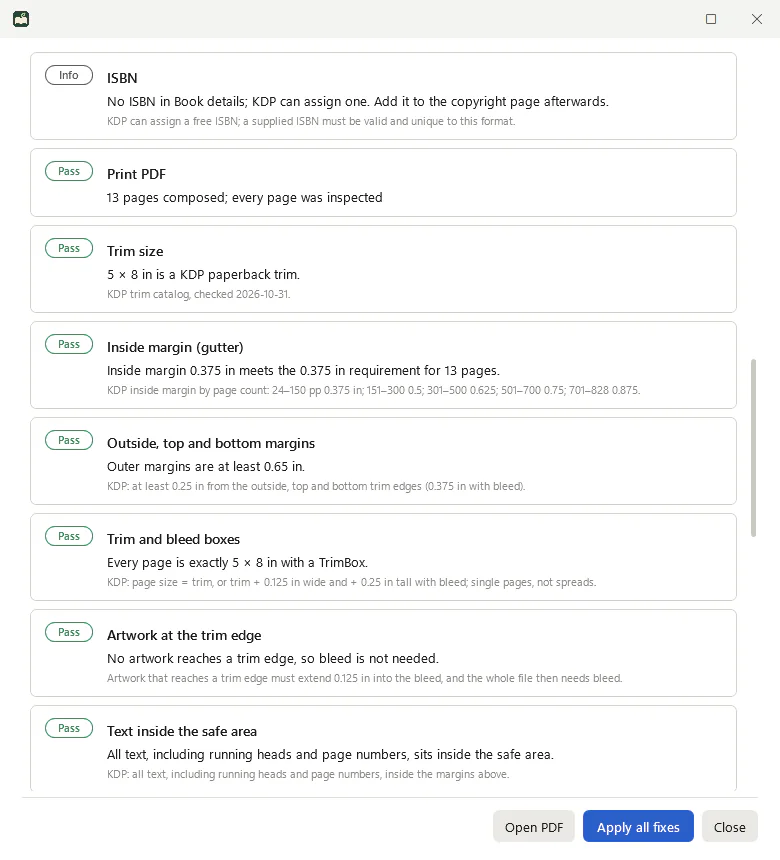
Preflight reads the finished PDF and checks it against the rules KDP publishes for paperbacks and hardcovers and the requirements IngramSpark states for interiors. Each result says what it found, on which page, and why it matters.
- Inside margin by page count, outer margins, trim and bleed boxes, text inside the safe area.
- 7 pt text and 0.75 pt lines, 300 ppi images, embedded fonts, colour and transparency.
- One-click fixes that recompose the book and check it again.
- PDF/X-1a:2001 for black-and-white interiors and PDF/X-3:2002 for colour.
Ebooks for every store
One book. Six ebooks. All accessible.
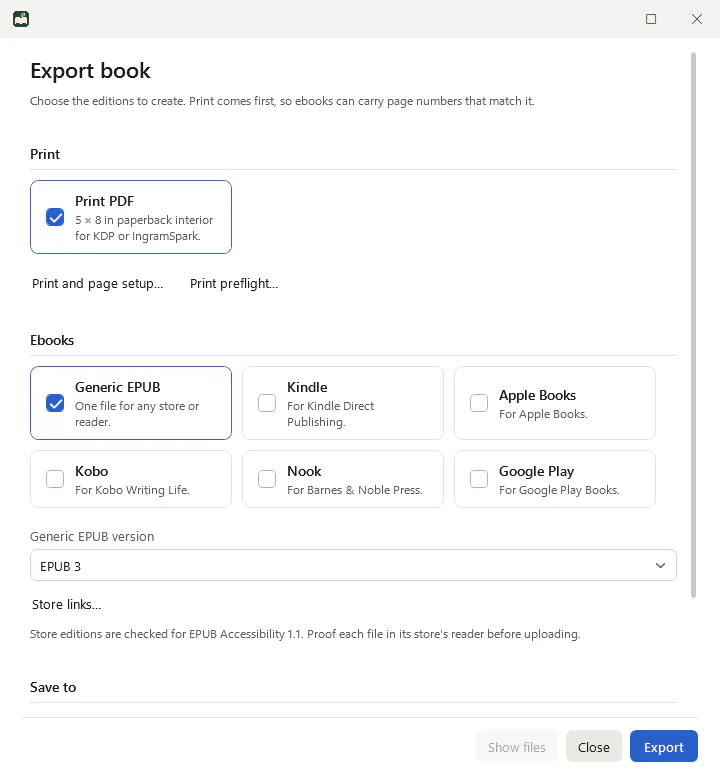
Export a generic EPUB 3 (or EPUB 2) plus editions tuned for Kindle, Apple Books, Kobo, Nook and Google Play, each with its own store links.
- EPUB Accessibility 1.1 metadata, semantic structure and reading order in every edition.
- Page numbers that match print, so readers and teachers can cite the same page.
- Image descriptions: LeafBound asks for any that are missing before it exports.
- Checked in our test suite with EPUBCheck and DAISY Ace on every theme and store edition.
Academic tools
For books with footnotes, sources and equations.
The Academic edition adds what general formatting tools leave out, without making the book harder to design.
- Citations and a source library, with Chicago notes and bibliography.
- Footnotes and endnotes that stay on the right page in print and link both ways in ebooks.
- LaTeX equations, inline or displayed and numbered, rendered as MathML in ebooks.
- Page-bottom commentary for study editions.
Yours, on your PC
Built to be owned, not rented.
Pay once
$49.99 for Book or $99.99 for Academic, for the whole major version. Minor updates are free and install themselves.
Works offline
Activate once and LeafBound keeps working without an internet connection, indefinitely. No browser tab, no sync to lose your chapters.
Your files stay yours
Books are saved on your PC. Export to an editable Word file at any time, and import your own licensed fonts after an embedding check.
Compare
How LeafBound compares.
The two names authors ask about most are Vellum and Atticus. Here are the facts that usually decide it.
| LeafBound | Vellum | Atticus | |
|---|---|---|---|
| Runs on | Windows 10 and 11, native app (Mac version in development) | macOS only | Web app, with desktop versions for Windows, Mac, Linux and Chromebook |
| Price for print and ebooks | $49.99 once ($99.99 Academic) | $249.99 once (Vellum Press) | $147 once |
| Try before you buy | 14-day trial with every feature | Free to use; you pay to export | No free trial reported |
| Works offline | Yes, after one activation | Yes | Partly; reports differ |
| Print standard | PDF/X-1a:2001 (black and white), PDF/X-3:2002 (colour) | PDF/X-1a:2003 | Not stated by the vendor |
| Distributor preflight report | KDP and IngramSpark profiles, 24 checks, one-click fixes | Not offered | General pre-export check |
| Citations and equations | Yes, in Academic | No | No |
| Your own fonts | Yes, with an embedding-permission check | No (curated fonts only) | No upload (large built-in font list) |
Looking for Vellum on Windows? · LeafBound as an Atticus alternative
Pricing
One price. No subscription.
Book
Fiction, memoir, poetry and general nonfiction
$49.99one-time
- All 28 themes, each with Standard, Large print and Accessible editions
- Live print preview and side-by-side theme comparison
- Print preflight with KDP and IngramSpark profiles and one-click fixes
- PDF/X-1a:2001 and PDF/X-3:2002 print output
- Six ebook editions with EPUB Accessibility 1.1 metadata
- Footnotes, endnotes, images, verse and contents pages
- Word (.docx) import and export, and your own licensed fonts
Academic
Research, textbooks, study editions and reference
$99.99one-time
- Everything in Book
- Citation and source library
- Chicago notes and bibliography
- Page-bottom commentary for study editions
- LaTeX equations, inline or displayed and numbered, with MathML in ebooks
LeafBound opens to the public soon, starting with a free 14-day trial of every Book and Academic tool. Prices in US dollars.
- Pay onceFor the whole major version, with free minor updates.
- One PCEach licence activates one Windows computer. Move it any time.
- OfflineActivate once, then work without a connection indefinitely.
- RefundsEvery request is reviewed individually by Netism support.
Questions
Frequently asked questions.
Does LeafBound run on a Mac?
Not yet. LeafBound is a native Windows app for Windows 10 and 11, 64-bit, and a Mac version is in development. We build each platform natively rather than ship a web page in a wrapper.
Will KDP and IngramSpark accept my files?
Print preflight checks the finished PDF, page by page, against the rules KDP publishes for paperbacks and hardcovers and the requirements IngramSpark states for its interiors: trim size, inside margin for your page count, outer margins, bleed, text inside the safe area, 7 pt minimum text, 0.75 pt minimum lines, 300 ppi images, embedded fonts, colour, transparency and blank pages. Where IngramSpark does not publish an exact limit, LeafBound shows a warning instead of a pass.
The distributor makes the final decision when you upload, so order a printed proof before you publish. That is good advice with any tool.
Can I bring in my Word manuscript?
Yes. LeafBound imports Word (.docx) files, and it can export your formatted book back to an editable .docx whenever you like, so your text is never locked inside one program.
What is the difference between Book and Academic?
Book ($49.99) covers fiction and general nonfiction: every theme, chapter openings, footnotes and endnotes, images, contents pages, print PDF and every ebook edition. Academic ($99.99) adds the scholarly tools: a citation and source library with Chicago notes and bibliography, page-bottom study commentary, and LaTeX equations that become MathML in ebooks. If you start with Book, the upgrade to Academic is $50.
What does the free trial include?
Everything, including the Academic tools, for 14 days. Exports made during the trial carry a short “Made with a LeafBound trial” line on each page so you can proof real files. Your books stay on your PC when the trial ends. A trial needs a free LeafBound account, and each PC can have one trial.
Is it a subscription?
No. You pay once for the current major version (for example 1.x) and keep using it for as long as you like. Minor updates within that version are free and install automatically. A future major version is a separate, optional purchase.
How many computers can I use?
A licence activates LeafBound on one PC. To move it to a new computer, disconnect the old one from your LeafBound account and sign in on the new one.
Do I need to be online?
Only to activate. After that LeafBound works offline indefinitely with a licence stored on your PC. When you are online it checks for updates within your version.
Does LeafBound use AI?
Only if you ask it to, and it is switched off by default. You can connect an AI assistant that supports the Model Context Protocol (MCP) to apply themes and fix formatting. Formatting changes can be undone, suggested copyedits wait for your Accept or Reject, and the tools never write prose or invent references. LeafBound never sees your AI account password or API key.
Where are my books stored?
On your computer, in files you control. LeafBound does not upload your manuscript anywhere.
Can I get a refund?
Tell us what went wrong through LeafBound support and we review every request individually. The free trial exists so you can be sure before you buy.
Something else? Support and contact.
Who makes LeafBound
Made by a non-profit, supported by people.
LeafBound is built and supported by Netism, a US non-profit. Netism directs 20% of its income to community grants and 30% to the Shared World Project, its Texas 501(c)(3) charitable arm.
Questions and problems go to a real support queue through your LeafBound account, and every refund request is reviewed by a person. Updates are signed and checked before they install.
See your own book in LeafBound.
Import your Word manuscript, try any of the 28 themes and run a print preflight. The trial includes everything, so you can judge the real result before you pay.
LeafBound opens to the public soon, with a free 14-day trial of every feature. Windows 10 and 11, 64-bit.